In Design & Technology, a model is a representation of a product used to visualise, explain, or demonstrate a design. Models don’t necessarily need to be functional – they can just show what a product looks like, or give an impression of how something might work. This article summarises different types of models, as well as the benefits of using modelling in the design process.
The benefits of modelling in the design process
- Communicates ideas very quickly (models are easy to understand – working drawings can confuse clients)
- Promotes creative thinking (new ways of solving ideas might occur when working in 3D, with physical materials)
- Allows physical testing (easier to tell whether something will work when you try to model it) leading to faster identification of weaknesses and errors (can reveal design flaws that may not be apparent from 2D drawings or digital renderings)
- Can be displayed to gather further feedback from potential customers, the public, or key stakeholders about the proposed design. This helps to ensure that the product is wanted and will meet customer expectations, making people more likely to buy the product. This feedback can lead to crucial improvements in the product.
- Saves costs as errors are discovered in modelling process, rather than after the final product is made.
- Helps with budgeting and cost prediction, as you learn how long something takes to make, the complexity of construction, and how much materials are used.
- Helps with material selection (factors such as durability, texture, and weight are not so easy to explore via drawings)
- Can provide a benchmark / standard for quality control (an initial prototype can be used as a standard against which subsequent products are assessed, helping to maintain consistency)
- Can provide a marketing / sales tool: prototypes can be used to showcase the product to retailers and in marketing materials before full production begins. Can photographed for packaging design, used in trade show displays, or presented to buyers to secure pre-orders etc.
- Time savings: Modelling takes time, but ultimately saves time by identifying and solving problems early, allowing designers to think through and refine the design, identifying strengths and weaknesses prior to production.
- Can act as a guide to produce jigs and formers.
Types of modelling
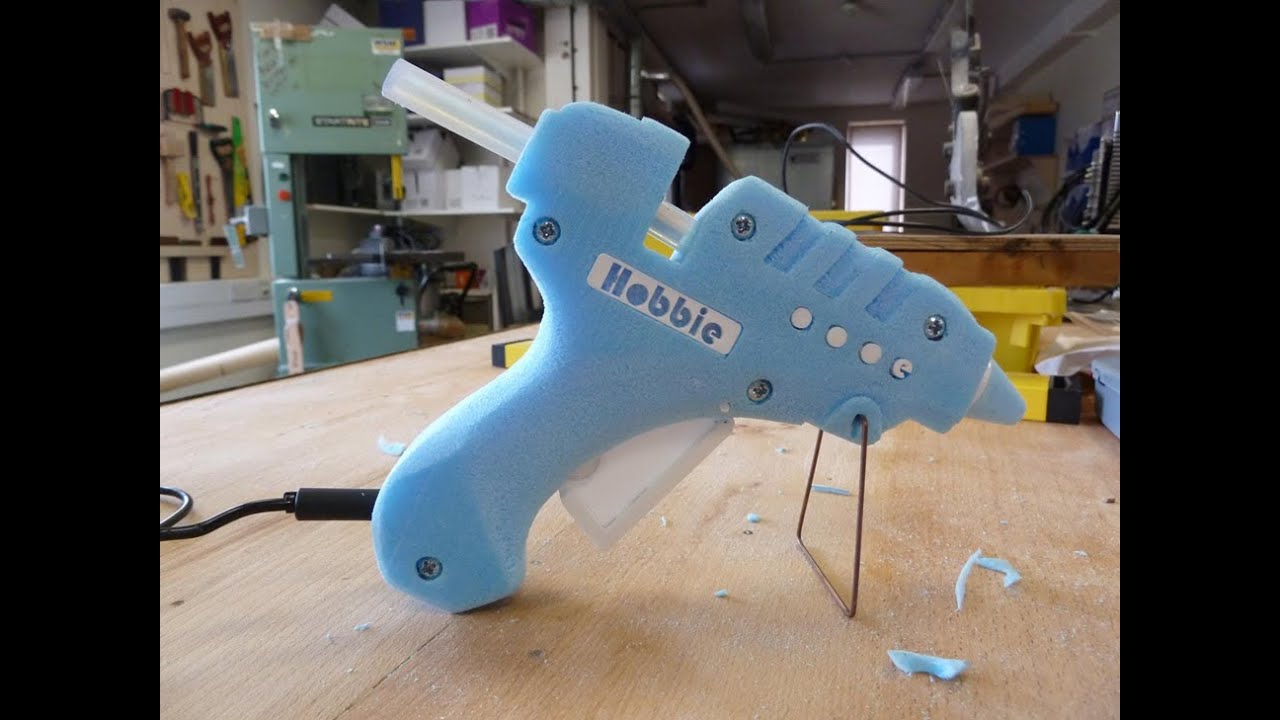
Prototype
- A prototype is an early sample, model, or release of a product or system that is created to test a concept, process, or design
- Can be a ‘working prototype’ that functions exactly or partly as the final design
- Meant to give realistic impression of the final design, rather than manufacture it exactly.
- Serves as a tangible representation of an idea, allowing designers, engineers, and stakeholders to explore its feasibility, identify potential issues, and gather feedback before moving forward with full-scale production or implementation.
- Can range from simple mock-ups to fully functional models, depending on the stage of development and the specific needs of the project
- Crucial in the iterative design process, helping to refine, improve, and test ideas while reducing the risk and cost associated with developing new products or services
PROTOTYPE: An early model or sample of a product used to test a concept.
0445 Design & Technology Syllabus, 2028-2030, Cambridge International Examinations
A basic model shows what something could look like, while a prototype tests whether it actually works as intended.
Emerging technologies and CAM tools also allow the creation of rapid prototyping so ideas can be tested and developed very quickly.
Mock-up
- A very ‘rough’ model produced early in the design process to trial and develop ideas
- Often just represents a conceptual idea, rather than a finished design
Digital model
- Digital simulation created on a computer using 3D modelling software
- Allows the entire design to be constructed, refined and optimized before it is manufactured;
- Has substantially decreased the time from concept to production line;
- Allows designers to create virtual prototypes quickly and cost-effectively, enables rapid iteration and testing of different design concepts without the need for physical production.
- 3D rendering and modeling tools help designers visualize how a graphic product will look in various environments or from different angles. This is particularly useful for products such as packaging design.
- User experience testing: Interactive simulations can be used to test how users might interact with a graphic product, such as a website interface or mobile app design, before final implementation.
- Color and material testing: Digital color management systems and material simulations allow designers to experiment with different color schemes and material finishes, seeing how they might look in various lighting conditions – much faster than real-world testing.
- Better for environment than printing lots of copies.
Disadvantages:
- An error in a digital simulation could mean that the simulation does not reflect reality (for example, screen colours may not accurately reflect print colours).
See the emerging technologies article for more information about digital simulations.
[Coming soon: The differences between a:
– model
– prototype
– marketable product. – A2]
Sample examination questions (AS Design & Technology)


Examiner report: Candidates gave a broad range of answers; those who understood the importance of testing and trialling gave detailed answers that covered avoiding mistakes when at production stages and helping to ensure the user or customers were happy with a prototype. Where examples/evidence were used they were generally well linked within the question.


Examiner comment: Candidates clearly understood how manufacturing a prototype before production begins could have both positive and negative impacts. Candidates who discussed issues such as checking for errors,
materials choice and customer feedback answered well. Examples were not always given.


Examiner comment: Most candidates gave at least one reason for making a model of a mechanism. Testing and evaluating of how the mechanism works as well as being able to see it three dimensionally were often given as answers.
Discuss why designers of packaging model their ideas before selecting one to fully develop.


Examiner comment: Some responses to this question regarding why designers of packaging model their ideas before selecting one to fully develop were very clear. Candidates who discussed issues such as allowing new ideas to be trialled, models used to gain user feedback or giving three dimensional views of the product answered well. Examples were occasionally given.

Amiria has a Bachelor of Architectural Studies, Bachelor of Architecture (First Class Honours) and a Graduate Diploma of Teaching. She is a CIE Accredited Art & Design and Design & Technology Coursework Assessor. Amiria now teaches Art, Design & Technology at ACG Parnell College.