This article helps students familiarise themselves with different ways to cut cardboard (including nets) and other lightweight materials. It concludes with examination questions to help students revise this material.
CUTTING METHODS FOR LIGHTWEIGHT MATERIALS
Scissors
Properties
Uses
Craft knife
Properties
Uses
A Stanley knife is a heavy duty (often metal) utility knife with a retractable blade. A box cutter is a cheaper, light-weight version of a craft knife. These terms are often used interchangeably.
Safety: Use a cutting mat and safety ruler; cut away from body; wear closed toe toes; retract blade when not in use
Paper trimmer
Properties
Uses
Circle cutter
Properties
Uses
Hole punch
Properties
Uses
Laser cutter
Properties
Uses
Laser cutters are also suitable for cutting wood and plastic
Safety: Read all instructions prior to use; don’t leave machine unattended while operating; ensure lid remains closed while operating; ensure machine is regularly cleaned and maintained; keep work bed free of debris and off-cuts
Die cutter
Properties
Uses
Note: This is not a CAM method, as the shape is not sent or controlled via a computer. Rather, the die is pre-formed into a particular shape that is needed.
Plotter cutter
Properties
Uses
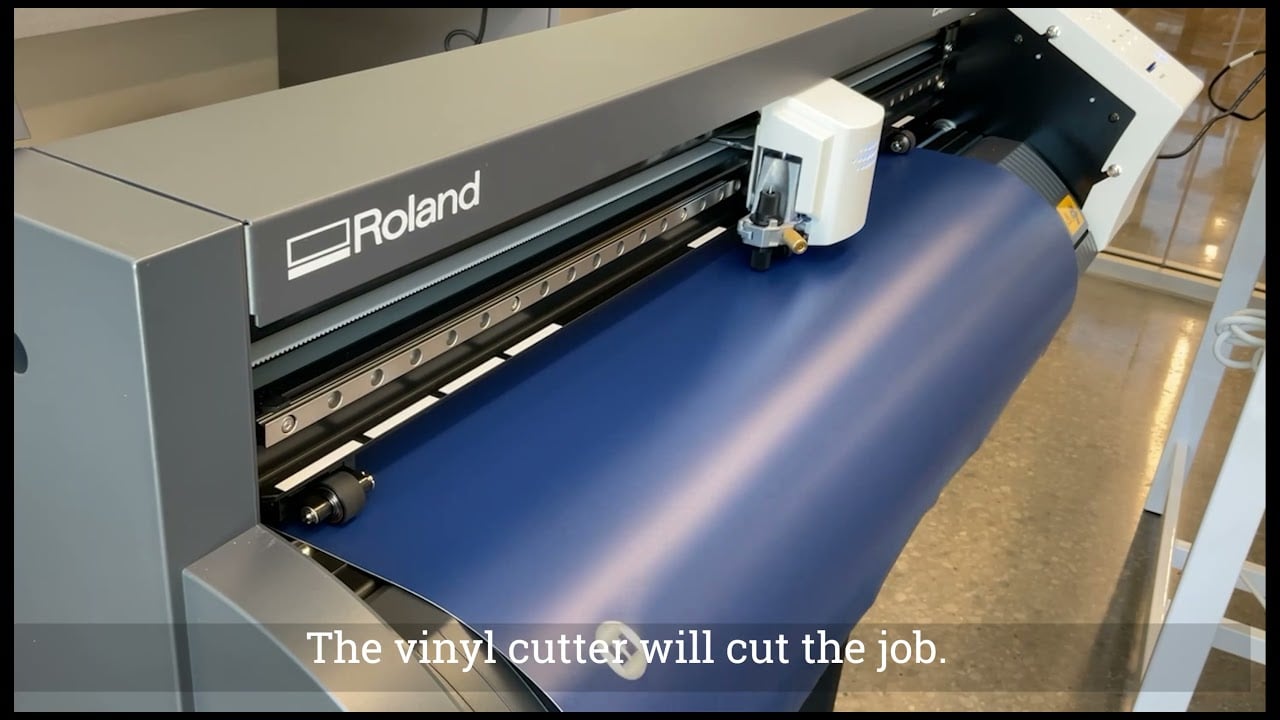
Vinyl cutter
Properties
Uses
PROCESS:
- Create image / design using CAD software such as Adobe Photoshop or Adobe Illustrator (cut lines & score lines on different layers and in different colours if necessary)
- Import file into software that links to vinyl cutter and send to machine to cut
- Weed out excess parts (unwanted bits / off-cuts) with a scalpel
- Peel and attach vinyl to surface (transfer tape can be used to ensure all letters and so on stay in exact position).
Learn more about self-adhesive vinyl here
Note: Images can also be printed onto the vinyl before cutting. You could use an inkjet printer before using the vinyl cutter.
Score lines: Score lines are half cuts or indented lines that help make it easier to fold along a perfect straight line. Score lines can be made with a blunt craft knife (light pressure, so it doesn’t cut the full way through), or with a laser cutter, die cutter, plotter cutter etc.

Sample examination questions (IGCSE Paper 5)
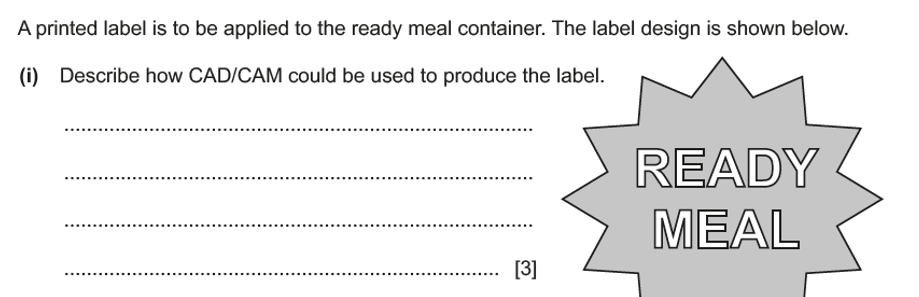

Note: Name specific software where possible. For example, a suitable CAD program for drawing the design on the computer could be Adobe Illustrator. A suitable CAM machine could be a vinyl cutter or a plotter cutter. (STIKA is a portable desktop vinyl cutter.)
Examiner comment: Candidates were asked to describe how CAD/CAM could be used to produce the label. Many candidates described drawing the design on computer and printing but did not provide sufficient detail of the processes involved in completing this.
Sample examination questions (AS Design & Technology)

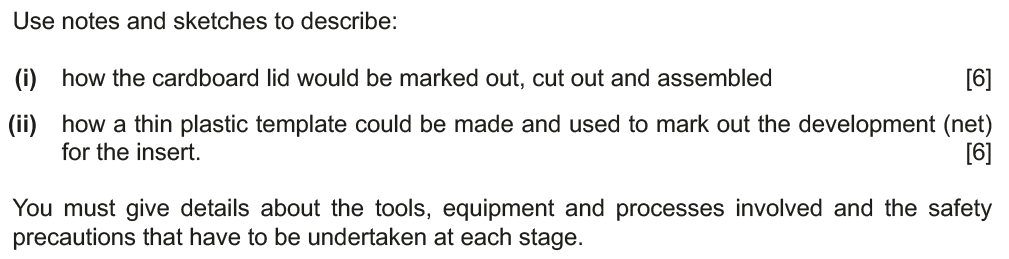

Examiner comment:
(i) There were some very clearly detailed answers given with marking out, cutting out and assembling covered to achieve an accurate lid. Many candidates used technical terms for the tools and equipment that were being used. Safety precautions were not always included.
(ii) Candidates found this question quite challenging in some cases, with the term template being misunderstood. When the template was made correctly it was very well undertaken but detail on how to use it was not always communicated.


Examiner comment:
(i) Candidates needed to read this question more carefully as many ignored the reference to the ‘in quantity’ aspect of this question and then lost marks. Where the question was answered well stencils or templates were often described to aid repeating of the cat shape. Candidates did use technical terms for the tools and equipment that were being used although safety precautions were not always included.
Note: The best answer for achieving the necessary precision and cutting speed is likely to be a CNC method, such as laser cutter or plotter cutter. The question mentions that the activity should be carried out in the school workshop, so a custom die cutter is not very plausible.
(ii) This question was answered well with marking out, scoring, cutting out and joining often explained with correctly described tools, equipment, and processes.


Examiner comment: Candidates usually answered this well with marking out and cutting out often well explained with correctly described tools, equipment, and processes. Unfortunately, a number of candidates did not understand the term ‘development or net’.
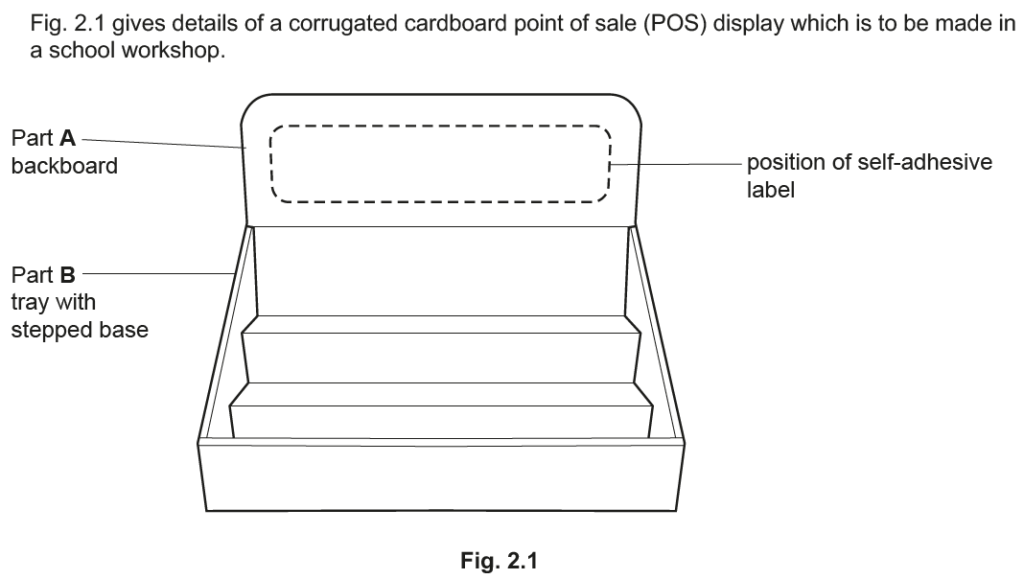


Examiner comment: This was generally answered well, with marking out and cutting out being very well detailed. Joining Part A and Part B brought some excellent answers, from the more structural tabs through to double-sided tape. Candidates used technical terms for the tools and equipment that were being used and safety precautions were usually included.


Examiner comment: This was generally answered well with marking out and cutting out being very well detailed. Candidates used technical terms for the tools and equipment that were being used but safety precautions were not always included.


Examiner comment: Candidates demonstrated a thorough understanding of marking out and cutting out the development net, including the use of tools and equipment. Safety precautions were often very sensibly described.


Examiner comment: Candidates had a thorough understanding of marking out and cutting out the development net, including the use of tools and equipment. There were some excellent examples of making the development net with hand tools as well as CAD/CAM. Safety precautions were often very sensibly described.


Examiner comment: Candidates had a thorough understanding of marking out, cutting out and folding the development net, including the use of tools and equipment. There were some excellent examples of making the development net with hand tools as well as CAD/CAM. Safety precautions were often very sensibly
described.


Examiner comment: This question was often answered well with candidates understanding how to mark out and cut out the front disc. CAD/CAM was occasionally used to good effect. Technical terms for the tools and equipment used was often limited.



Examiner comment: Candidates had a reasonable understanding of how to make and apply the self-adhesive vinyl characters including the use of tools and equipment as well as CAD/CAM. Safety precautions were often omitted.

Amiria has a Bachelor of Architectural Studies, Bachelor of Architecture (First Class Honours) and a Graduate Diploma of Teaching. She is a CIE Accredited Art & Design and Design & Technology Coursework Assessor. Amiria now teaches Art, Design & Technology at ACG Parnell College.